
The dashboard
The dashboard runs on your own computer at http://localhost:8870 (or the port you chose). Every field has a small i: hover it for a preview, tap or click it for the full explanation.
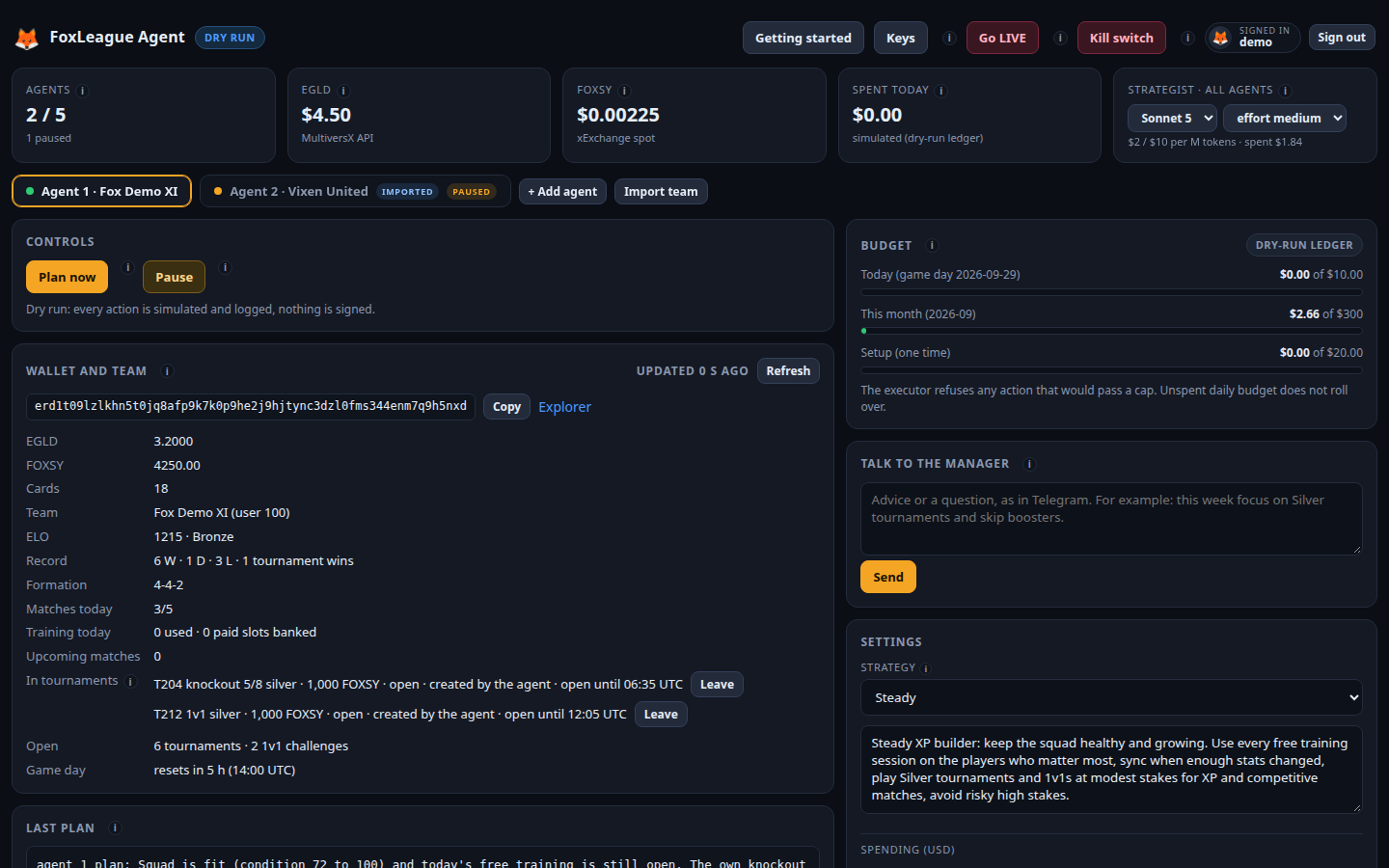
The header
Section titled “The header”- Getting started reopens the guide to your keys, funding and going live.
- Keys holds the AI, Telegram and Binance keys for all agents (Your keys).
- Go LIVE / Back to dry run is one switch for all agents. Going live asks you to type
GO LIVEand your password; back to dry run is one click. - Kill switch stops every agent at once. Turning it on is one click; releasing it asks for your password.
The totals
Section titled “The totals”- Agents: how many agents run on this computer, and how many are paused.
- EGLD and FOXSY: the live prices the limits use. Every payment is valued in USD before it is checked.
- Spent today: what all agents spent this game day (it resets at 14:00 UTC, like the game’s own daily limits).
- Strategist: the AI model and effort for every agent. Sonnet 5 is the default and plays well; higher models or effort think harder and cost more.
An agent’s page
Section titled “An agent’s page”- Controls: Plan now runs a planning cycle at once; Pause stops this agent only.
- Wallet and team: balances, cards, team, rating and record, matches and training today. In tournaments lists the tournaments and 1v1s the agent is in, each open one with a Leave button.
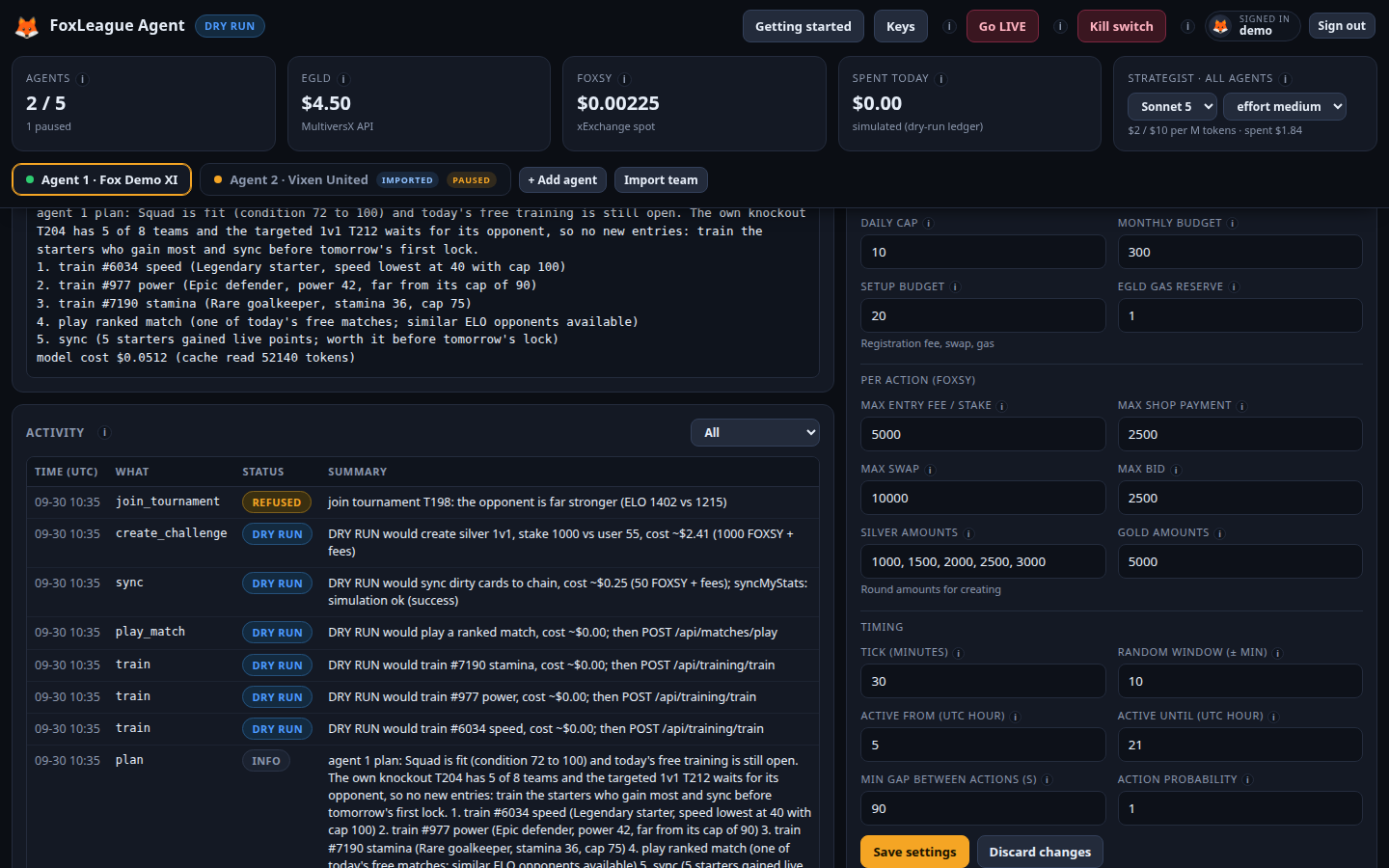
- Last plan: the agent’s latest reading of the situation, each action with a one-line reason and the cost of the AI call.
- Activity: everything the agent did, newest first, with a filter for plans, actions or problems.
- Budget: spend against today’s cap, this month’s budget and the setup budget.
- Talk to the manager: advice or questions in plain words (Talk to your manager).
- Settings: the strategy and every limit (Every setting explained).
Above the pages, a tab per agent shows its number and team. + Add agent adds one from your recovery words; Import team adds one for a team you already play, marked imported, which also gets a Remove button on its page (Import your team).
Opening it from your phone
Section titled “Opening it from your phone”The dashboard listens on your computer only, never on the internet. To open it from another device, use an SSH
tunnel (ssh -L 8870:localhost:8870 you@your-computer), or follow the agent on Telegram.