
Your keys, step by step
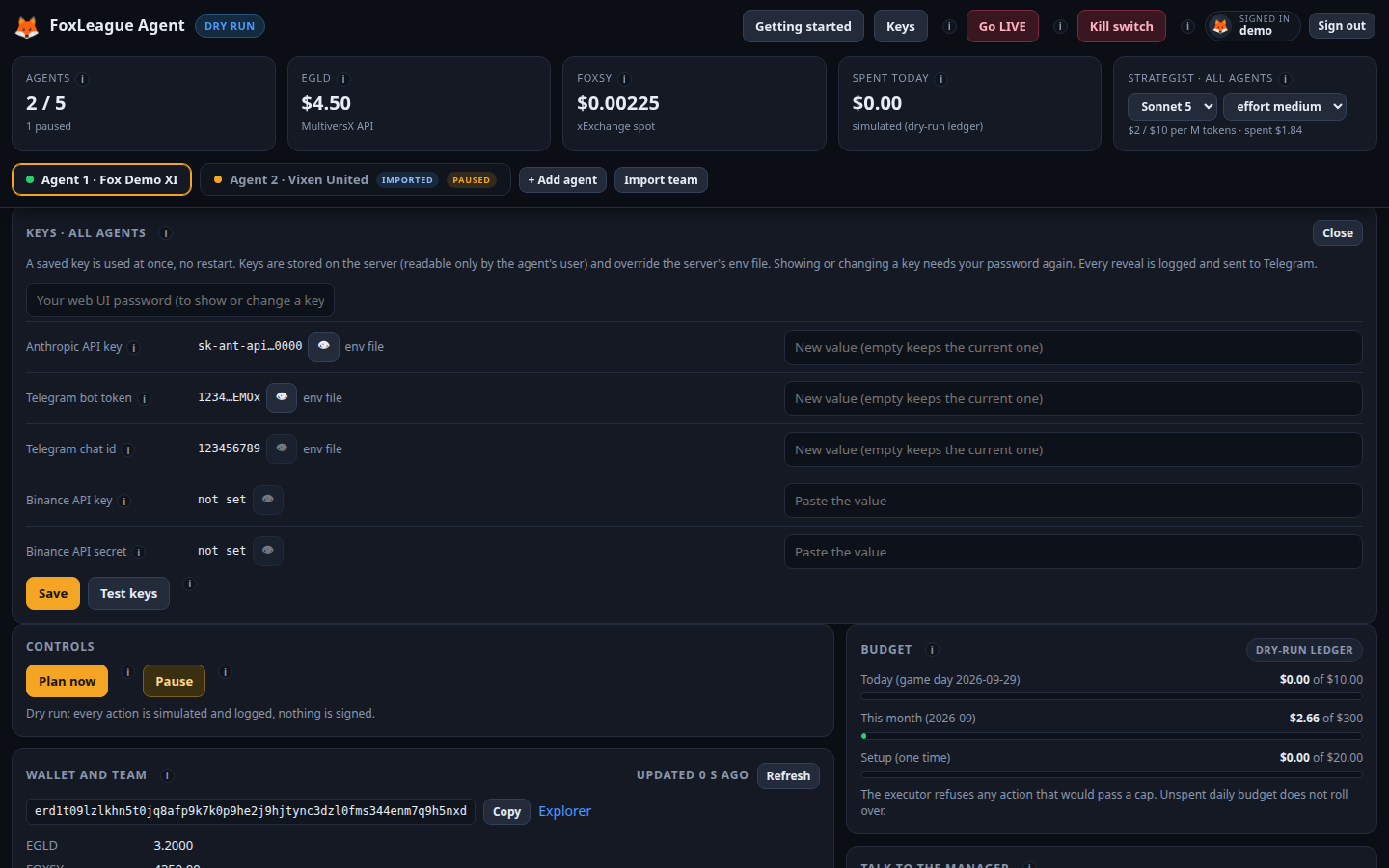
The agent needs one key to play: the AI key. Telegram and Binance are optional. You can paste each key in the installer, or later in the dashboard: Keys in the header. Your dashboard password confirms every change.
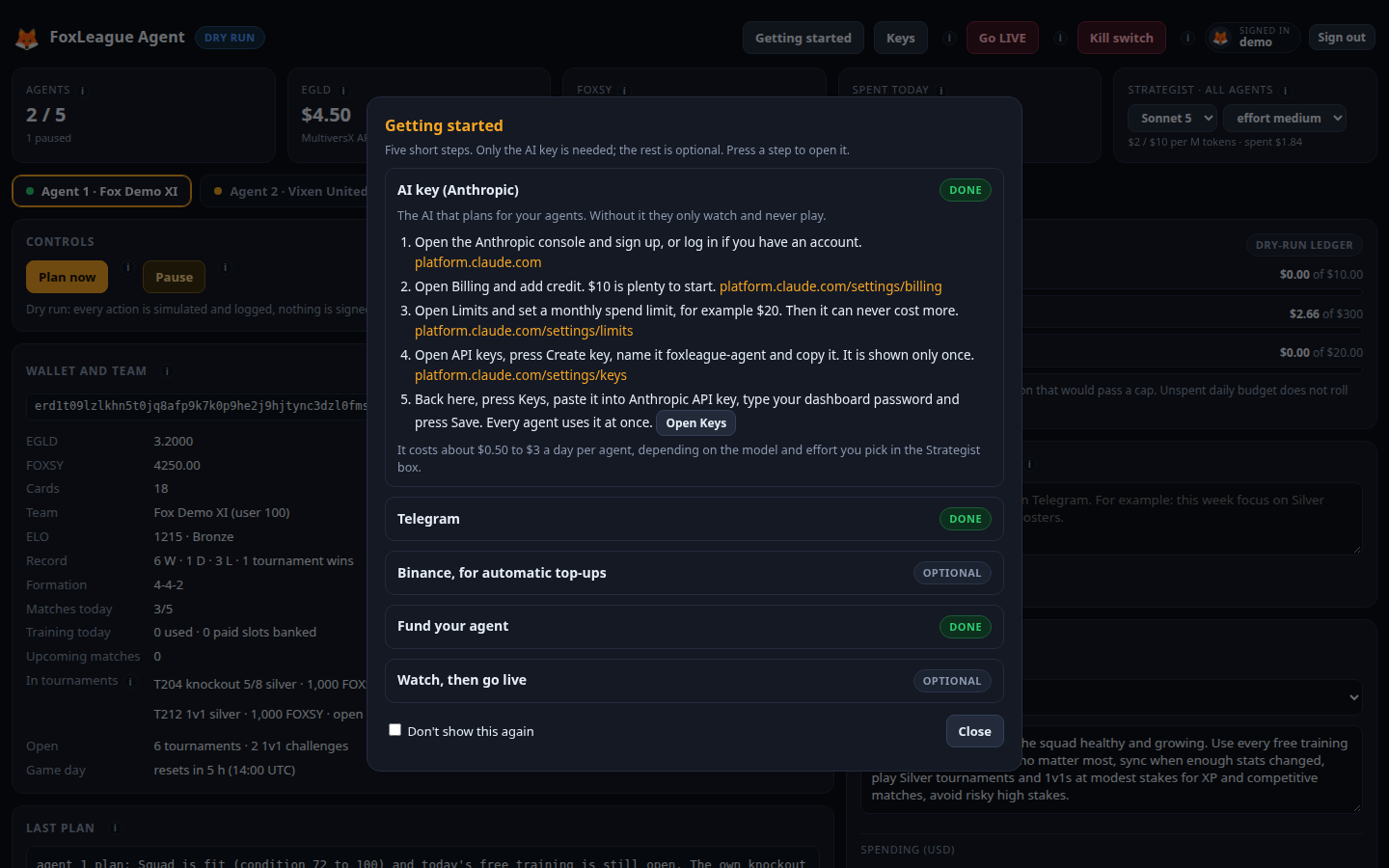
1. The AI key (Anthropic), needed
Section titled “1. The AI key (Anthropic), needed”This is the AI that plans for your agents. Without it they only watch.
- Open platform.claude.com and sign up, or log in.
- Open Billing and add credit. $10 is plenty to start.
- Open Limits and set a monthly spend limit, for example $20. Then it can never cost more.
- Open API keys, press Create key, name it
foxleague-agentand copy it. It is shown only once. - In the dashboard, press Keys, paste it into Anthropic API key, type your dashboard password and press Save. The agent uses it at once.
It costs about $0.50 to $3 a day per agent, depending on the model and effort you pick in the Strategist box.
2. Telegram, optional
Section titled “2. Telegram, optional”Every action on your phone, and you can talk to your manager in plain words.
- On your phone, open Telegram and start a chat with BotFather, the official bot that makes bots.
- Send
/newbot. Give it a name, then a user name that ends inbot, for examplemyfox_manager_bot. - BotFather answers with a token that looks like
123456789:AAH.... Copy it. - In the dashboard, press Keys, paste it into Telegram bot token, type your password and press Save.
- Still in Keys, press Link my Telegram. Send the 6-digit code it shows to your new Telegram bot, then press I sent it. From then on it talks only to you.
3. Binance, optional
Section titled “3. Binance, optional”For automatic EGLD top-ups of your agent wallets. The top-ups arrive in a later version; your key waits in the dashboard until then.
- Log in to Binance and open API Management.
- Press Create API, choose System generated, name it
foxleague-agentand confirm with your 2FA. - Press Edit restrictions. Tick only Enable Withdrawals, then choose Restrict access to trusted IPs and enter your computer’s public IP (shown here).
- Open Address Management, add each agent wallet on the MultiversX (EGLD) network and switch the whitelist on. Now money can only go to your agents.
- Copy the API key and the secret (the secret is shown only once). In the dashboard, press Keys, paste both, type your password and press Save.
Test keys in the Keys panel checks every key: model access for the AI key, a test message to your Telegram chat and the permissions of the Binance key. Nothing is changed.