
Fund it and go live
Fund your agent
Section titled “Fund your agent”The agent pays the game in FOXSY and network fees in EGLD. You send EGLD; it buys the FOXSY it needs by itself on xExchange.
- Buy EGLD on any exchange (for example Binance, Bybit or Bitget).
- Withdraw it to the wallet of agent 1 on the MultiversX (EGLD) network. The address is on the agent’s page, in Wallet and team, with a Copy button. The installer printed it too.
- About 5 EGLD is a good start: 2.5 buys the 5,000 FOXSY registration, 1 stays as the gas reserve, the rest plays the first games.
Once the EGLD arrives, the agent registers your team by itself: it swaps for the registration fee, picks a name, registers and generates the team’s free badge.
Watch it in dry run
Section titled “Watch it in dry run”New agents start in dry run: the agent plans, checks each action against the game rules and your limits, then simulates it on chain. Nothing is signed or sent. Read a few plans in Last plan and Activity; every action shows what it would have done and cost.
Meanwhile, set your limits and strategy in Settings (Every setting explained).
Go live
Section titled “Go live”- Press Go LIVE in the header.
- Type
GO LIVE, then your dashboard password. - The agent now signs real transactions, inside the same limits.
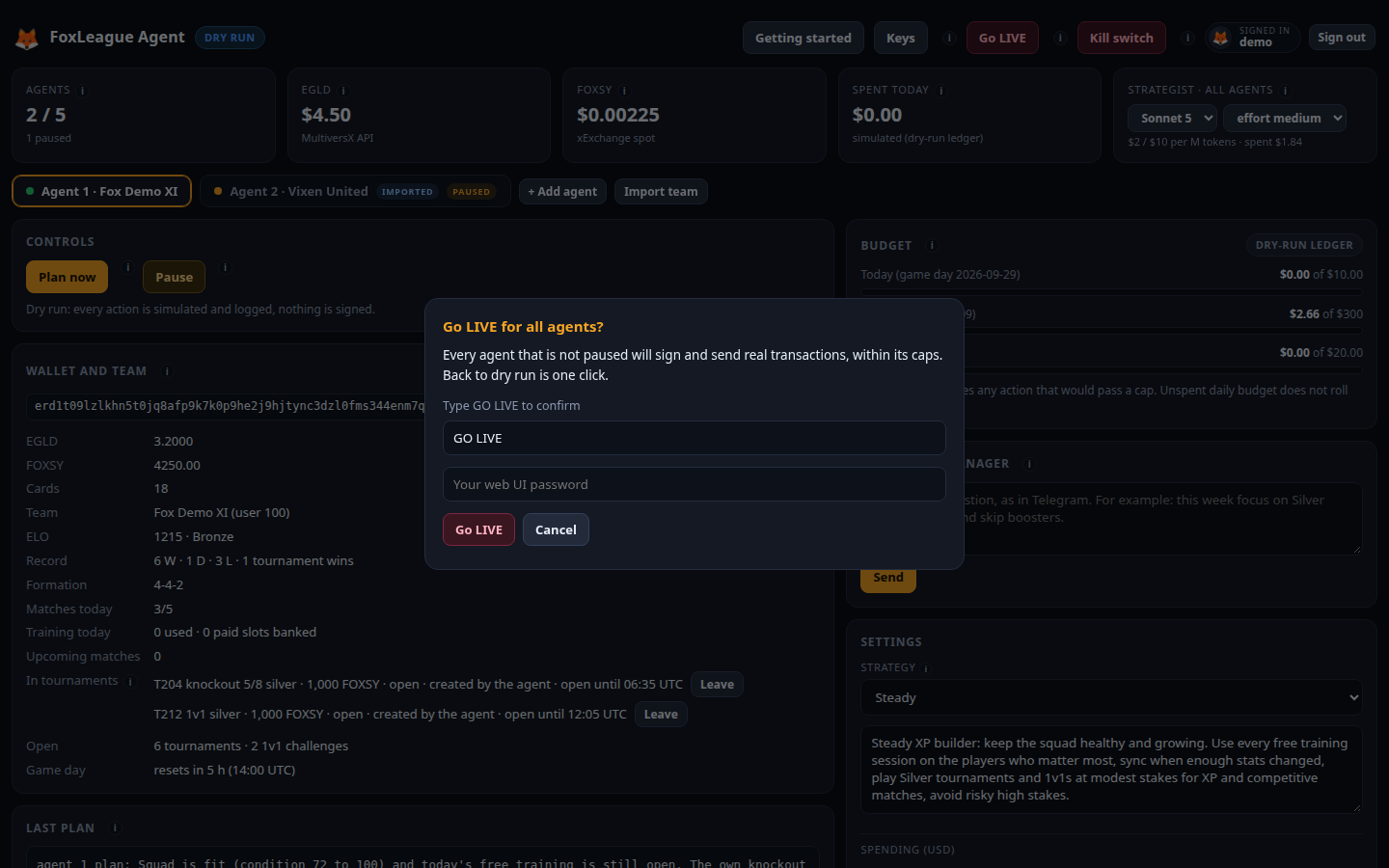
Live also needs this computer’s permission, which the installer asked for (step 5). If Go LIVE is grey, allow it:
set AGENT_LIVE_ENABLED=1 in the .env file in the foxleague-agent folder and restart the agent.